← Help centreGetting started & setup
Invite your team and set access
Add users and choose office vs gate access presets.
3 min read
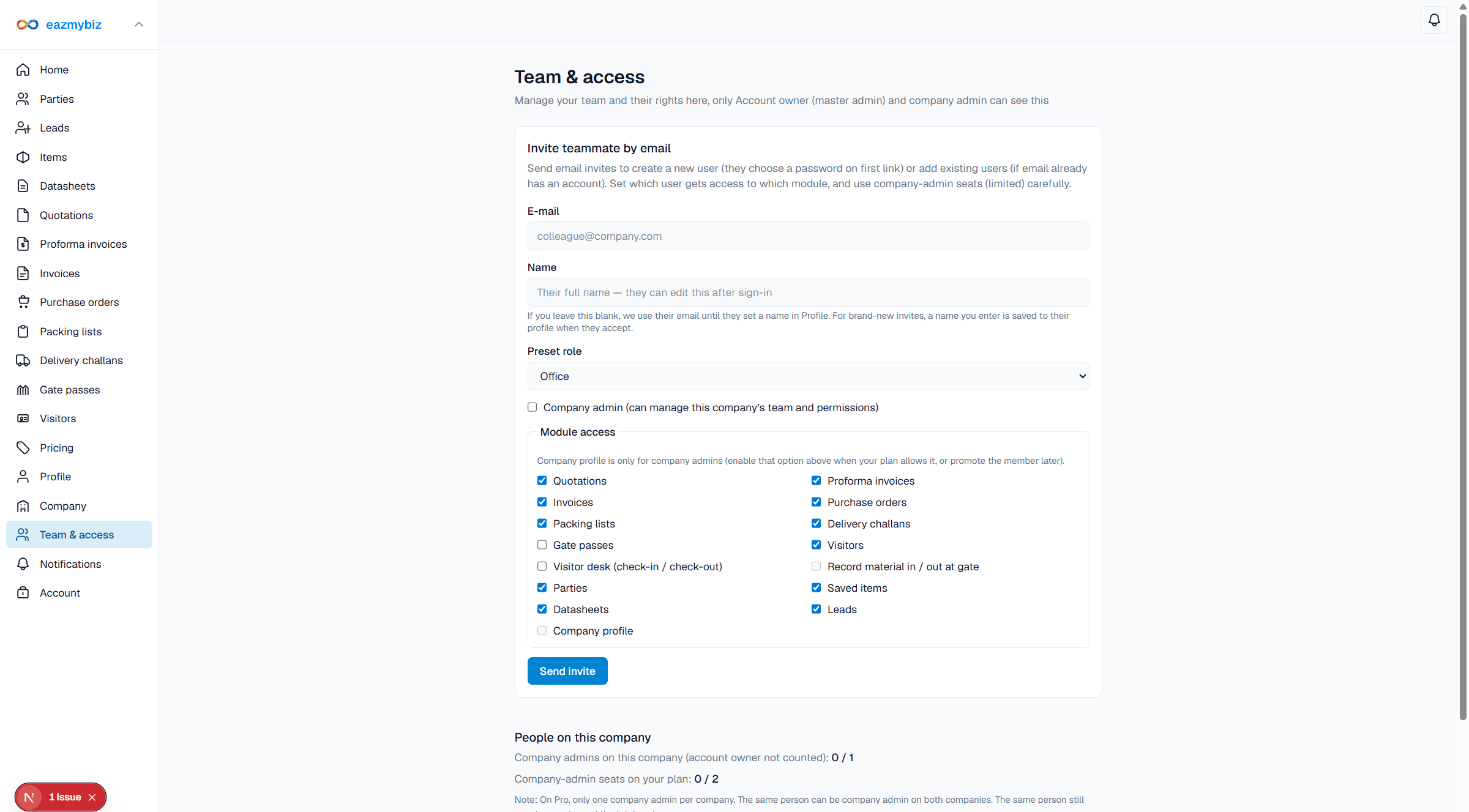
Team members share one company's documents. Access is controlled per module (office vs gate presets).
Invite a user
- Open Team & access in the sidebar (
/settings/team) — visible to account owners and company admins. - Under Invite teammate by email, enter e-mail and name. Choose preset role Office or Gate / security, and set module access as needed.
- Click Send invite. They set a password and join your company.
- Review People on this company later to adjust permissions.