← Help centreGate & visitors
Register a visitor and print a pass
Create a visit, check in on the visit day, and collect the pass on check-out.
5 min read
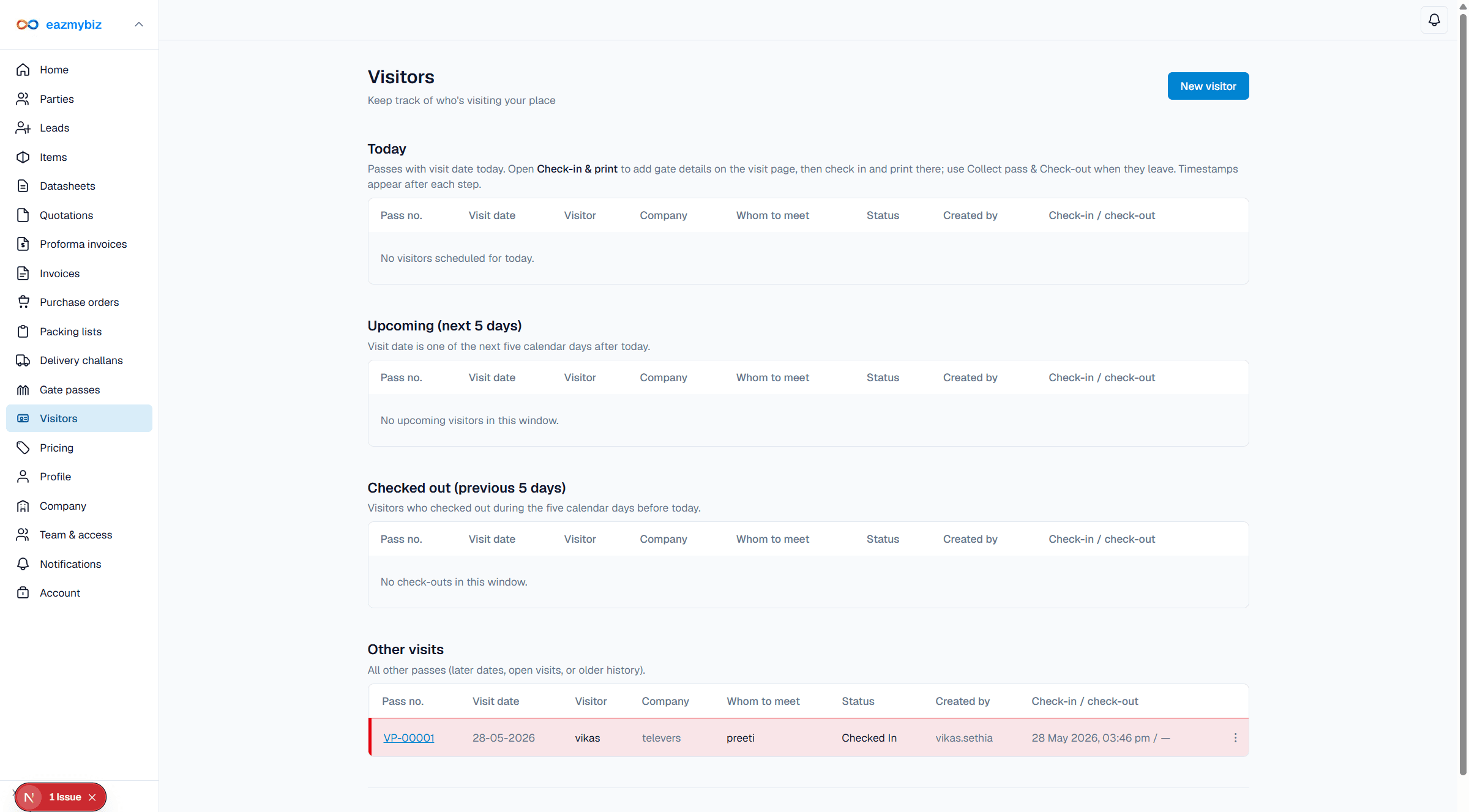
Visitor passes cover registration, check-in on the visit day, print (ID-1 card or A5 badge), and collect pass on check-out.
Register a visit
- Open Visitors → New visitor.
- Required: Visit date (today or up to 15 days ahead), Visitor name, Visitor mobile (10-digit), and Host. Optional: company, purpose, vehicle, driver, photo.
- Click Save draft, then Issue pass before print when prompted.
Check-in and print
- On the visit date only, use check-in. From the today list, Check-in & print opens the visit with the Gate check-in block.
- On the visit day before check-in, visit date / name / host / purpose are fixed; desk may still update photo, vehicle, and driver, then Check-in & Print Pass.
- Check-in records arrival and opens the pass print window.
Collect pass & check-out
Use Collect pass & Check-out within 24 hours of check-in. After check-out, Print pass is hidden. Checked-in visits with no check-out for more than 24 hours are highlighted red.