
← Help centreDocuments & masters
Items master
Create reusable items with units, Part No., and internal SKU.
5 min read
The Items master stores products and services you reuse on quotations, packing lists, challans, POs, and datasheets.
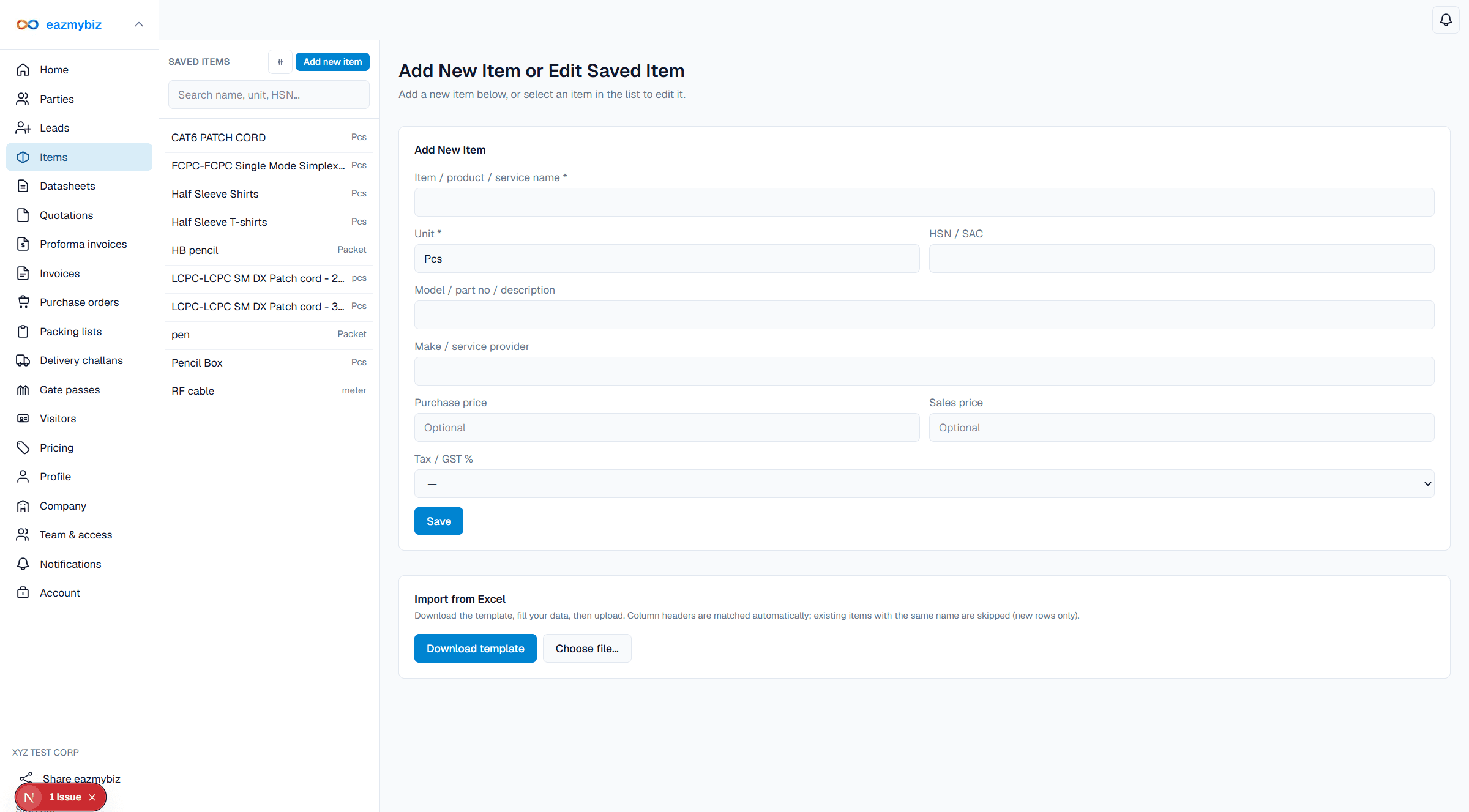
Create an item
- Open Items → Add new item.
- Enter Item / product / service name and required Unit (for example Nos, Kg, Mtr).
- Optionally set HSN / SAC, Model / part no / description, Make / service provider, purchase/sales price, and tax %.
- Click Save. On document editors, pick the item instead of typing each line from scratch.
Link with datasheets
On Pro/Max, a datasheet can Create as Item when saving — pre-fills name and Part No.; you confirm Unit. Later datasheet edits do not auto-sync the item.